




How to Change Region on TikTok: Fix Region Settings, 90-Day Limits, and “Not Available in Your Region”
Learn how to change region on TikTok, why TikTok region change is not working, what the 90-day limit means, and how a VPN like CometVPN can help.

Guoda Šulcaitė
16 min read
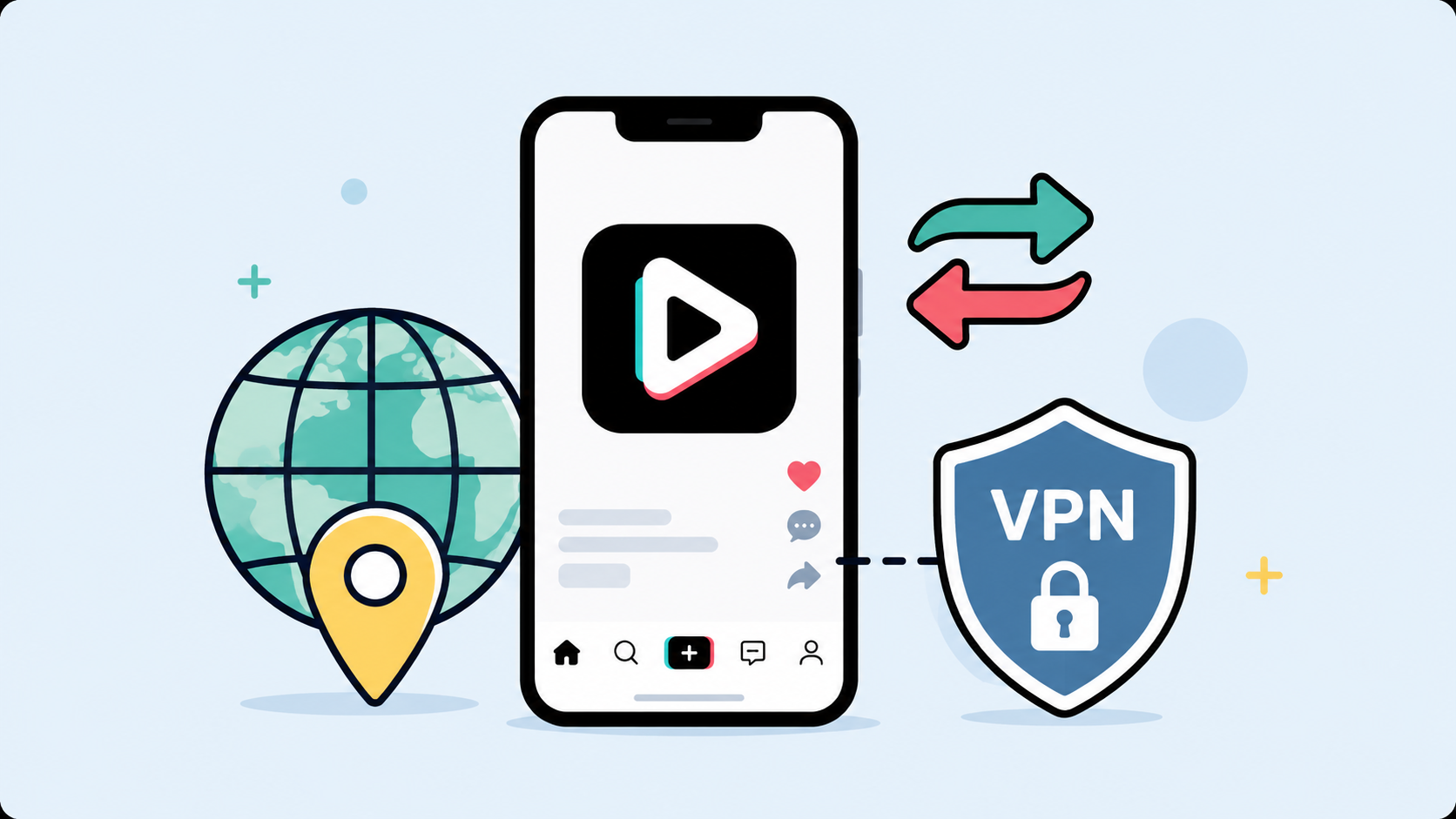
You open TikTok, scroll for a minute, and something feels off. The For You Page is showing videos from the wrong country. Local trends do not match where you are. Maybe you are trying to reach a US or UK audience, but TikTok keeps acting like your account belongs somewhere else.
You open TikTok, scroll for a minute, and something feels off. The For You Page is showing videos from the wrong country. Local trends do not match where you are. Maybe you are trying to reach a US or UK audience, but TikTok keeps acting like your account belongs somewhere else.
Or you get the more annoying version: “TikTok not available in your region.”
If you are searching for how to change region on TikTok, the first thing to know is this: TikTok region is not controlled by one single switch. It is not like changing the app language or choosing a dark theme.
TikTok looks at several signals. Your IP address. Your SIM card region. Your device settings. Your App Store or Google Play country. Your location permissions. Your account history. Sometimes even payment, tax, or creator account details.
That is why TikTok region change can feel so inconsistent. One person changes a setting and it works. Another person does the same thing and nothing changes. A third person sees a message saying they cannot update region on TikTok for 90 days.
In this guide, I will explain how TikTok region works, how to change your TikTok account region when the option is available, why TikTok region change is not working for some users, what the 90-day limit means, and how a VPN like CometVPN can help when TikTok keeps reading the wrong location.
Why Your TikTok Region Matters
TikTok region affects more than most people realize.
It can influence what you see, which trends appear first, which sounds are popular, which creators TikTok recommends, and sometimes which features are available inside the app.
Your region may affect:
- Your For You Page
- Local trends and hashtags
- Recommended creators
- Nearby or local content features, where available
- Ads and promoted content
- TikTok Shop availability
- Creator tools and monetization features
- Account verification and payout settings
- Tax or seller information for business accounts
For casual users, the main problem is usually the feed. You want content from a specific country, but TikTok keeps pulling you back to another one.
For creators, the problem can be more serious. If you are trying to build an audience in the USA, UK, or another specific market, the wrong region can make your content strategy messy. Your videos may start reaching people who are not your target audience, while the people you actually want to reach never see your posts.
For sellers and creators who use payout tools, region can become even more sensitive. That is where account region, tax region, billing details, and platform eligibility start to matter.
How TikTok Detects Your Region
TikTok does not rely on just one clue.
If it only checked your phone language, changing region would be easy. If it only checked your IP address, a VPN would solve everything instantly. But TikTok combines multiple signals, which is why changing region is sometimes simple and sometimes painfully stubborn.
The most important signals are usually:
- IP address: the country your internet connection appears to come from
- SIM card region: the country connected to your mobile network or SIM provider
- Device region: the country set in your iPhone or Android system settings
- App Store or Google Play country: the region connected to your app marketplace
- Location Services: GPS or approximate location permissions, depending on your device and country
- Language preferences: your app language and content language settings
- Account history: where the account was created and used over time
- Engagement history: what you watch, like, search for, skip, and follow
- Payment and tax information: relevant for creators, sellers, and business tools
This is the part many quick tutorials skip. TikTok may still estimate your approximate location even if Location Services are off. Network information, including SIM region, IP address, and system settings, can still matter.
So when someone says, “I changed my TikTok region but nothing happened,” they may have changed one signal while five others stayed the same.
Can You Change Region on TikTok?
Sometimes, yes. But not always in the way people expect.
Some users may see account region or content preference options inside TikTok. Others may not. TikTok menus can vary depending on country, account type, app version, device, and whether the feature is available in that region.
That means two people can follow the same guide and see different settings.
If TikTok gives you an official account region setting, use that first. It is the cleanest method because it changes a setting inside the account itself.
If you do not see that option, you are not necessarily doing anything wrong. TikTok may simply not offer that region change setting for your account.
In that case, your practical options are to adjust the signals TikTok reads:
- Change the IP location with a VPN
- Clear TikTok cache
- Update device region settings
- Check App Store or Google Play country
- Review Location Services permissions
- Interact with content from the region you want
- Keep your region signals consistent over time
This is not as satisfying as one button. But it is closer to how TikTok actually works.
How to Change Region on TikTok in the App
Start with TikTok’s own settings before changing anything else.
Try this path:
- Open TikTok.
- Tap Profile.
- Tap the Menu icon.
- Open Settings and privacy.
- Look for Account, Account information, Region, or related settings.
- If region change is available, choose the new country.
- Close TikTok completely.
- Reopen the app and check whether anything changed.
If you are trying to change TikTok account region and the option is available, this is the most direct route.
But if you cannot find region settings, do not waste an hour tapping through every menu. TikTok does not show the same options to everyone.
Also, changing TikTok change region settings does not always instantly rebuild your feed. The For You Page learns from behavior. If your account has spent months watching videos from one country, it may take time before the recommendations move toward a new region.
Why Can’t I Change My Region on TikTok?
If you are asking why can’t I change my region on TikTok, there are several possible reasons.
The Region Option Is Not Available
Some accounts simply do not have a visible region change option. This can depend on where the account was created, where it is currently used, and what features TikTok offers in that market.
Your Account Recently Changed Region
If you changed your region recently, TikTok may block another change for a certain period. This is where people run into the “cannot update region TikTok 90 days” problem.
Your SIM Card Points to Another Country
A VPN can change your IP address, but it does not change your SIM card region. If your SIM card still points to your old country, TikTok may continue using that signal.
Your IP Address Does Not Match the Region You Want
If you are not using a VPN, TikTok usually sees your real IP address. If that IP points to a different country, your region change may not stick.
Your App Store or Google Play Country Is Different
Your phone may be set to one country, while your app marketplace is set to another. That mismatch can make region changes less predictable.
Your Cache Still Holds Old Data
TikTok cache can store old app data, including location-related behavior. Clearing it is one of the easiest fixes to try.
Your Account History Is Stronger Than Your New Settings
TikTok learns from what you watch and engage with. If you want a US feed but keep watching local videos from another region, TikTok will follow your behavior.
Your Region Is Restricted
If TikTok is not available in your region, changing basic settings may not be enough. The issue may be app availability, local restrictions, network blocks, or account-level access.
What Does “Cannot Update Region TikTok 90 Days” Mean?
If TikTok says you cannot update your region for 90 days, treat that as an account-level limit.
It is not the same as a weak Wi-Fi connection or an app glitch. TikTok is telling you that the account cannot change region again until the waiting period ends.
A VPN can change your visible IP address. It can make your connection appear to come from another country. But it usually cannot remove a countdown or waiting period that TikTok has already applied to your account.
During that waiting period, you can still clean up the signals around the account:
- Use a consistent VPN location
- Clear TikTok cache
- Update device region settings if appropriate
- Check your App Store or Google Play country
- Adjust content language preferences
- Engage with creators from the region you want
- Avoid switching countries every day
The key is consistency. If you want TikTok to understand that your account belongs in a new region, do not send mixed signals every few hours.
How to Change TikTok Region With a VPN
A VPN helps with one of the most important region signals: your IP address.
When you connect through a VPN server, TikTok sees the VPN server’s IP location instead of your regular internet connection. That can help when TikTok keeps reading the wrong country, when you are traveling, or when you want to test how your account behaves from another region.
Here is the clean way to do it with CometVPN.
Step 1: Close TikTok Completely
Do not just leave TikTok running in the background. Close the app fully.
On iPhone, swipe it away from the app switcher. On Android, close it from recent apps. The point is to prevent TikTok from keeping the old session active while you change connection.
Step 2: Connect to CometVPN
Open CometVPN and choose the country you want TikTok to see.
Common choices include:
- United States
- United Kingdom
- Germany
- France
- Canada
Pick one country and stay with it while testing. Do not jump between five different regions in ten minutes.
Step 3: Clear TikTok Cache
Open TikTok settings and clear cache if the option is available. You can also clear app cache from Android system settings.
Cache is not always the problem, but it is easy to fix. If TikTok is holding on to old location data, clearing cache gives the app a cleaner start.
Step 4: Reopen TikTok
Once CometVPN is connected, reopen TikTok.
Check your For You Page, search results, trending sounds, and local recommendations. Do not judge it after three videos. Give TikTok some interaction signals.
Step 5: Train the Feed
TikTok does not only follow your technical location. It also follows your behavior.
If you want a new region, interact with that region:
- Search for creators from that country
- Watch videos from the region you want
- Like and save relevant videos
- Follow local creators
- Use region-specific hashtags
- Skip videos from the old region
This is where people get impatient. They connect to a VPN, watch three videos, and decide it did not work. TikTok is recommendation-heavy. Sometimes it needs repeated signals before the feed changes.
Start With the Signal TikTok Checks First
If TikTok keeps reading the wrong region, start with your IP address. Connect through your preferred country with CometVPN, clear TikTok cache, and reopen the app with a cleaner location signal.
How to Change TikTok Region to USA
If you want to know how to change TikTok region to USA, the practical goal is to make your account signals look as consistent as possible with the United States.
Start with these steps:
- Close TikTok completely.
- Connect to a US server in CometVPN.
- Clear TikTok cache.
- Set your app language or content language to English, if appropriate.
- Reopen TikTok.
- Search for US creators, US topics, and US hashtags.
- Follow and interact with US-based content.
Do not expect the entire feed to change in one minute. TikTok may still consider your SIM region, account history, device settings, and previous engagement.
If your account has an official region setting and you can select the United States there, do that too. If you cannot, the VPN and behavior signals are the next best place to start.
How to Change TikTok Account Region to UK
The UK process is similar.
- Close TikTok.
- Connect to a UK server in CometVPN.
- Clear cache.
- Check TikTok account region settings, if available.
- Set English language preferences if that fits your account.
- Search for UK creators, UK news, UK trends, and UK hashtags.
- Watch and engage with UK-based content consistently.
If you are trying to change TikTok account region to UK for creator or business reasons, be careful not to confuse content region with tax, billing, or payout region. Those are different things.
How to Change TikTok Region on iPhone
On iPhone, region signals can come from TikTok, iOS, the App Store, your SIM, and your network connection.
Here is the order I would use:
- Update TikTok to the latest version.
- Close TikTok completely.
- Connect to CometVPN and choose the country you want.
- Open TikTok and clear cache if available.
- Check TikTok Location Services permissions.
- Review iPhone region settings if they are wrong.
- Check App Store country if app availability is the issue.
- Restart the iPhone.
- Open TikTok again while CometVPN is still connected.
If Location Services are enabled and point to a different country than your VPN, TikTok may get conflicting information. If you are troubleshooting region issues, check whether TikTok has location permission and whether that permission makes sense for what you are trying to do.
Do not change your Apple ID country casually. It can affect subscriptions, payment methods, app availability, and other services. Only change it if it reflects your actual needs.
How to Change TikTok Region on Android
Android gives you a bit more room to clear app data and manage permissions, but the same logic applies.
- Close TikTok.
- Connect to CometVPN.
- Go to Android settings.
- Open Apps.
- Select TikTok.
- Clear cache.
- Check location permissions.
- Review Google Play country if app availability is the issue.
- Restart TikTok.
If you have dual SIMs, check which SIM is active. TikTok may consider SIM region as part of its approximate location signals. A VPN does not change that.
TikTok Region Change Not Working? Try These Fixes
If TikTok region change is not working, go step by step. Do not change every setting at once, because then you will not know what helped.
1. Restart TikTok
Close the app completely and reopen it after changing VPN location or settings.
2. Clear TikTok Cache
Old cache can keep TikTok stuck on old behavior. Clear it before testing a new region.
3. Try Another VPN Server
If one server does not work, try another server in the same country. Do not switch countries immediately.
4. Check Your SIM Region
If your SIM card belongs to one country and your VPN points to another, TikTok may treat that as a mixed signal.
5. Review Device Region Settings
Check your iPhone or Android country and language settings. They do not control everything, but they can contribute to the overall signal.
6. Check App Store or Google Play Country
If TikTok is unavailable or not updating, the app store region may matter more than the TikTok app itself.
7. Review Location Permissions
If TikTok has access to your precise location, that may conflict with the VPN location. Check privacy settings on your device.
8. Wait Out the 90-Day Limit
If TikTok says you cannot update region for 90 days, there may be nothing to “fix” immediately. Wait for the restriction to expire.
9. Train the Feed Manually
Search, watch, like, and follow content from the region you want. TikTok recommendations react to behavior.
10. Contact TikTok Support
If your account region is clearly wrong and you cannot change it, report the problem through TikTok settings.
TikTok Not Available in Your Region - What Does It Mean?
If TikTok says it is not available in your region, the issue may be bigger than content preferences.
Possible causes include:
- TikTok is restricted in your country
- The app is not available in your App Store or Google Play region
- Your network blocks TikTok
- Your IP address points to a restricted location
- Your account region conflicts with your current location
- Your device or app version is outdated
A VPN can help if the problem is IP-based. For example, if TikTok reads your connection as coming from a restricted or unsupported location, connecting through another country may help you test access.
But a VPN may not solve everything. It will not automatically change your App Store country, your Google Play country, your tax information, or any account-level restriction TikTok has applied.
Also, always consider local rules and TikTok’s terms before trying to access a service from a region where it is restricted.
What Is Tax Region on TikTok?
Tax region on TikTok is not the same thing as your For You Page region.
This is an important distinction.
Your content region affects what you see and who TikTok may show your content to. Your tax region is usually connected to creator payments, seller information, TikTok Shop, billing, tax forms, or payout eligibility.
You should not change tax region just to make your feed look different.
Tax information should match your real legal and financial situation. If you are a creator collecting rewards, a seller, or a business account, incorrect tax details can create payout problems, verification issues, withholding, or compliance trouble.
So when people ask what is tax region on TikTok, the practical answer is:
It is a payment and compliance setting, not a content discovery setting.
If you only want to change what appears on your For You Page, focus on IP location, content language, cache, and engagement behavior. Do not touch tax settings unless you actually need to update payment or legal information.
Can a VPN Unlock TikTok Region?
A VPN can help TikTok see a different IP location. That is useful, because IP address is one of the signals TikTok may use to estimate your region.
But a VPN does not rewrite every region signal.
It does not change:
- Your SIM card country
- Your account creation history
- Your tax region
- Your payout eligibility
- Your App Store or Google Play country
- A 90-day account region lock
Think of a VPN as a strong first layer, not a magic switch.
If your main problem is that TikTok keeps reading your IP from the wrong country, CometVPN can help. If your problem is an account-level region lock, tax region, or platform restriction, you may need to wait, update official account information, or contact TikTok support.
Best Practices Before Changing TikTok Region
Region changes work better when your signals are consistent.
Before you start changing things, follow these rules:
- Do not switch regions every few hours
- Use one VPN location while testing
- Clear TikTok cache before judging results
- Check whether your SIM region conflicts with your VPN location
- Do not use fake tax or payout information
- Do not confuse content region with tax region
- Interact with content from the region you want
- Keep TikTok and your phone system updated
- Respect local laws and platform rules
The biggest mistake is treating TikTok like a streaming app. With streaming, region is often mostly about IP address. With TikTok, the algorithm also cares about your behavior.
So yes, change the technical signal. But also train the feed.
Quick Checklist: Change TikTok Region
- Close TikTok completely.
- Connect to CometVPN.
- Choose the country you want TikTok to see.
- Clear TikTok cache.
- Check TikTok region settings, if available.
- Review Location Services permissions.
- Check device region and language settings.
- Check App Store or Google Play country if app access is the issue.
- Reopen TikTok.
- Engage with content from your target region.
FAQ
How do I change my region on TikTok?
Start by checking TikTok settings under Profile, Menu, Settings and privacy, and Account or Account information. If a region option is available, use it. If not, adjust the signals TikTok reads: IP address, cache, device region, app store country, location permissions, and content behavior.
Why can’t I change my region on TikTok?
You may not have the region change option, your account may be under a 90-day limit, your SIM or IP may point to another country, your app cache may be old, or TikTok may have account-level restrictions.
Why is TikTok region change not working?
TikTok region change may not work because TikTok uses multiple signals. Changing one setting does not always override your SIM region, IP address, device settings, app store country, location permissions, or account history.
What does “cannot update region TikTok 90 days” mean?
It usually means TikTok has placed a waiting period on your account region change. A VPN can change your IP address, but it usually cannot remove an account-level 90-day restriction.
How do I change TikTok region to USA?
Connect to a US server with CometVPN, clear TikTok cache, set language preferences if appropriate, reopen TikTok, and interact with US-based creators, hashtags, and topics. If TikTok offers an official account region setting, update it there too.
How do I change TikTok account region to UK?
Connect to a UK VPN server, clear cache, check account region settings, set relevant language preferences, and engage with UK content. Keep your signals consistent rather than switching between countries constantly.
How do I change TikTok region on iPhone?
Close TikTok, connect to CometVPN, check TikTok Location Services permissions, clear cache if available, review iPhone region and App Store country if needed, restart the phone, and reopen TikTok while the VPN is connected.
What is tax region on TikTok?
Tax region is usually connected to payments, creator rewards, seller tools, billing, or tax forms. It is not the same as your TikTok content region. Do not change tax information just to influence your For You Page.
Can a VPN unlock TikTok region?
A VPN can help TikTok see a different IP location, which may influence region detection and access. But it cannot guarantee changes to account region, tax region, monetization eligibility, SIM region, or a 90-day account lock.
Why does TikTok say not available in your region?
TikTok may be restricted in your country, unavailable in your app store region, blocked by your network, or reading your IP as coming from an unsupported location. A VPN may help with IP-based issues, but not every account or app store restriction.
Author
Guoda Šulcaitė
Growth Manager at CometVPN
Guoda is an all-round marketing professional with deep knowledge in the tech SaaS industry, particularly VPNs and proxies. She has worked on numerous projects and helped achieve impressive results through project management, content production, and SEO.
Related articles
4 min read
Ethernet vs Wi-Fi: Which One is Better?
Ethernet and Wi-Fi are the two main ways to connect your computer to the internet. While Wi-Fi has received significantly more attention in recent years, especially among consumers, due to its simplicity and flexibility, ethernet is still widely used in various other applications.
Even if Wi-Fi is significantly more popular, it isn’t strictly better. Both methods have their benefits and drawbacks. Wi-Fi’s popularity comes from its ease-of-use and flexibility, but an ethernet connection can be much more useful in certain scenarios.

Adomas Šulcas

5 min read
How to Change Chrome Proxy Settings: The Ultimate Guide
A proxy server is an easy alternative to a VPN that can perform most of the functions of the latter. It’s a server that stands between your device and the destination server, taking your connection requests and forwarding them in your name.
Destination servers in almost all cases see the proxy server as the originator of the request. As such, proxies are widely used in various, mostly business-related applications whenever privacy, security, location changing, and several other factors are at play.
Guoda Šulcaitė