









Adult Friend Finder Age Verification Not Working? Here’s What to Try
If Adult Friend Finder age verification is not working, the issue is usually caused by one of a few common problems: browser errors, mismatched account details, unclear ID photos, VPN or proxy confli…

Adomas Šulcas
10 min read
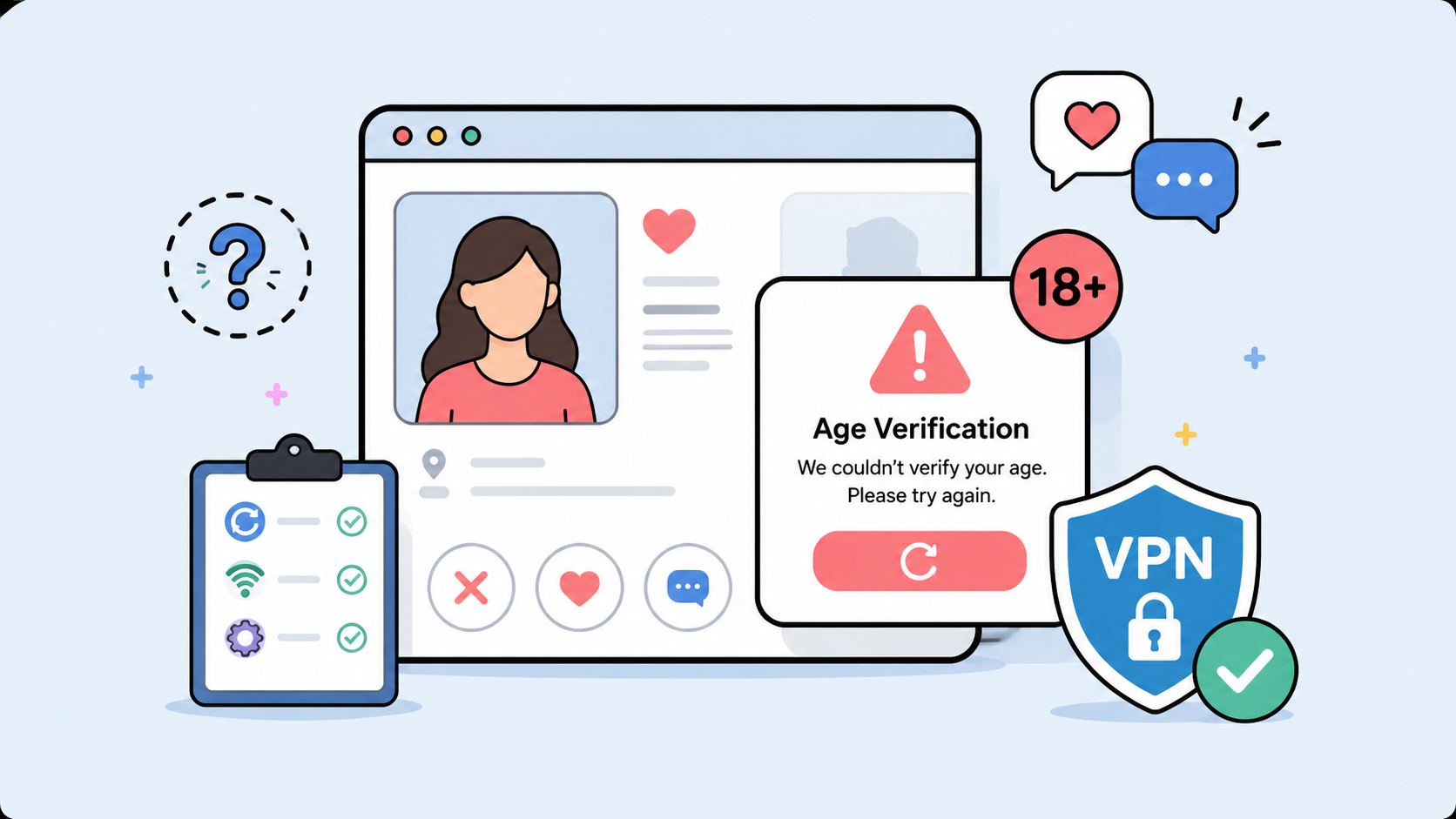
If Adult Friend Finder age verification is not working, the issue is usually caused by one of a few common problems: browser errors, mismatched account details, unclear ID photos, VPN or proxy conflicts, payment verification issues, or temporary platform-side outages.
Adult Friend Finder is an adult-oriented dating and social networking platform, so age checks are part of keeping the service restricted to adults. Depending on your location and the platform’s current policies, you may be asked to confirm that you are over 18 before using certain features.
This guide explains why the age verification process may fail, what you can try to fix it, and how to protect your privacy while completing any required checks.
Why is Adult Friend Finder asking for age verification?
Adult platforms often use age verification to comply with legal requirements and platform safety rules. In many countries, regulators are putting more pressure on adult websites, dating apps, and social platforms to prevent minors from accessing age-restricted content.
Age checks may involve different methods, such as:
- Confirming your date of birth
- Verifying an email address
- Confirming payment details
- Uploading a government-issued ID
- Using a third-party age verification provider
- Completing a selfie or face-based age estimation check
The exact method can vary by country, account type, device, and the platform’s current compliance requirements.
At CometVPN, we support responsible online privacy. A VPN can help protect your connection and reduce unnecessary tracking, but it should not be used to help minors access age-restricted services or to break local rules.
Common reasons Adult Friend Finder age verification fails
1. Your browser is blocking the verification page
Age verification systems often rely on scripts, pop-ups, redirects, and third-party verification windows. If your browser blocks these, the verification page may not load correctly.
Try this:
- Turn off strict tracking protection temporarily for the verification page
- Allow pop-ups for Adult Friend Finder and its verification provider
- Disable aggressive ad blockers for the page
- Try a different browser
- Clear browser cache and cookies
- Restart the browser and try again
If the page keeps looping or going blank, browser privacy extensions are often the first thing to check.
2. Your VPN or proxy is causing a location mismatch
A VPN protects your IP address by routing your connection through a different server. That is useful for privacy, but some verification systems may treat unusual location changes as suspicious.
For example, age verification may fail if:
- Your account country does not match your IP location
- Your payment country does not match your current connection
- The verification provider blocks known proxy or VPN IP ranges
- You switch servers during the verification process
- Your browser location, IP address, and billing information do not align
If verification is failing, try using a stable connection and avoid switching networks mid-process. CometVPN is designed for private and secure browsing, but some platforms may still require consistent account, device, and location signals to complete verification.
3. Your ID photo is blurry or cropped
If Adult Friend Finder or a third-party provider asks for ID verification, poor image quality can cause the check to fail.
Make sure:
- The full document is visible
- The image is not blurry
- There is no glare over your name, date of birth, or document number
- The ID is not expired
- The ID matches the name and date of birth on your account
- You are using an accepted document type
- The file format and size meet the platform’s requirements
Do not edit, blur, or cover required fields unless the verification provider specifically allows it. Altered documents may be rejected.
4. Your account details do not match your verification details
Age checks can fail when information does not match across your profile, payment method, and verification document.
Check whether these details are consistent:
- Date of birth
- Name
- Country
- Billing address
- Payment card details
- Email address
- Phone number, if required
Even a small mismatch can trigger a manual review or rejection.
5. Your payment-based verification failed
Some adult platforms use credit card or payment details as part of age assurance. If this method fails, it may be due to:
- Incorrect billing address
- Expired card
- Card not supported
- Bank decline
- Insufficient funds
- Prepaid card restrictions
- Country mismatch
- Fraud prevention checks
Try checking your billing details carefully. If the issue continues, contact your bank or Adult Friend Finder support rather than repeatedly submitting the same payment information.
6. Your account is waiting for manual review
Some verification checks are instant. Others may require manual review, especially if the system cannot confidently verify your details.
Manual review may happen if:
- Your ID photo is hard to read
- Your selfie does not match the document photo
- Your details have recently changed
- Your account activity looks unusual
- Your payment or location signals are inconsistent
If you see a “pending,” “under review,” or similar message, avoid resubmitting multiple times unless the platform tells you to. Repeated attempts can sometimes slow the process down.
7. Adult Friend Finder may be having a temporary issue
Sometimes the problem is not on your side. The website, app, payment processor, or age verification provider may be experiencing downtime.
Try this:
- Check whether the site works on another device
- Try mobile data instead of Wi-Fi
- Test again later
- Check for app updates
- Log out and log back in
- Contact Adult Friend Finder support if the issue continues
If the site loads normally but verification does not, the problem may be with the third-party verification service rather than Adult Friend Finder itself.
How to fix Adult Friend Finder age verification not working
Step 1: Refresh your session
Log out of Adult Friend Finder, close the browser or app, then log back in. This can fix expired verification sessions or redirect loops.
Step 2: Clear cookies and cache
Old cookies can interfere with login and verification pages. Clear cookies and cache for Adult Friend Finder, then reload the site.
Step 3: Try a different browser or device
If verification fails on mobile, try desktop. If it fails in Chrome, try Firefox, Safari, or Edge. This helps identify whether the problem is browser-specific.
Step 4: Disable browser extensions temporarily
Ad blockers, privacy extensions, script blockers, and anti-tracking tools can break verification flows. Disable them only for the verification process, then turn them back on after you finish.
Step 5: Check your account details
Make sure your name, date of birth, country, and payment details are accurate. If your Adult Friend Finder account details do not match your ID or billing method, verification may fail.
Step 6: Use a stable network connection
Avoid switching between Wi-Fi, mobile data, VPN servers, or networks during verification. Sudden changes can make your session look suspicious.
Step 7: Update the app
If you are using the Adult Friend Finder app, install the latest version. Older versions may not support newer verification flows.
Step 8: Contact support
If nothing works, contact Adult Friend Finder support. Include:
- Your account email
- The device and browser you used
- The verification method that failed
- The error message you saw
- The approximate time of the issue
- Whether the problem happens on multiple devices
Do not send sensitive documents by regular email unless the support team specifically instructs you to use a secure upload process.
Privacy tips before completing age verification
Age verification can involve sensitive personal data. Before uploading ID or using face-based verification, take a moment to check how your data will be handled.
Check who is doing the verification
Adult platforms often use third-party age verification providers. That means your data may be processed by another company, not only by Adult Friend Finder.
Look for:
- The name of the verification provider
- Its privacy policy
- Whether it stores your ID or deletes it
- Whether it shares data with the adult platform
- How long verification data is kept
- Whether biometric or face data is processed
Avoid fake verification pages
Scammers often imitate login and verification pages. Before submitting sensitive information, make sure you are on the correct website or official app.
Watch out for:
- Misspelled domains
- Strange pop-ups
- Requests for unrelated personal information
- Pressure tactics
- Messages asking you to verify through random links
- Emails that do not come from an official address
Use a secure connection
Do not upload identity documents over public Wi-Fi without protection. Public networks can expose your traffic to unnecessary risk.
A privacy tool like CometVPN helps encrypt your connection and protect your browsing from network-level snooping. This is especially useful when you are using shared Wi-Fi in hotels, airports, cafés, or coworking spaces.
Do not overshare
Only provide the information required by the official verification process. Do not send extra documents, selfies, payment screenshots, or private details unless the platform clearly requires them through a secure flow.
Can a VPN fix Adult Friend Finder age verification?
A VPN can help with privacy and connection security, but it may not fix every age verification problem.
A VPN may help when:
- Your local network is blocking the site
- Your ISP connection is unstable
- You are using public Wi-Fi
- You want to reduce network-level tracking
- You want to protect your IP address during browsing
A VPN may not help when:
- Your ID is rejected
- Your payment method fails
- Your account details do not match
- The verification provider blocks VPN traffic
- Your account is under manual review
- The platform requires direct identity confirmation
If your issue is a privacy concern, CometVPN can be a useful layer of protection. If your issue is a failed ID, payment, or account review, you will likely need to resolve it directly with Adult Friend Finder support.
Important: do not bypass age restrictions
Age verification exists to keep adult services restricted to adults. CometVPN does not support using privacy tools to help minors access adult platforms or to avoid legal requirements.
If you are an adult, it is reasonable to care about privacy when completing age checks. The best approach is to use official verification channels, protect your connection, review data policies, and avoid unsafe third-party “verification fix” tools.
Adult Friend Finder age verification not working: final checklist
Before contacting support, try this quick checklist:
- Clear cookies and cache
- Try another browser
- Disable ad blockers temporarily
- Allow pop-ups for the verification page
- Use a stable internet connection
- Avoid changing VPN servers during verification
- Make sure your account details match your ID
- Check that your ID is clear, current, and accepted
- Update the app
- Wait if your verification is under manual review
If the issue continues, contact Adult Friend Finder support through the official website or app.
Final thoughts
If Adult Friend Finder age verification is not working, the cause is usually technical, account-related, or connected to identity/payment checks. Start with simple fixes like clearing cookies, changing browsers, and checking your account details. Then review whether your connection, VPN, browser extensions, or document quality could be causing the failure.
From a privacy perspective, age verification deserves caution. You may be asked to share sensitive information, so always check who is processing your data and use secure browsing habits.
CometVPN helps protect your connection and online privacy, but it should be used responsibly. Privacy matters — and so does keeping age-restricted platforms restricted to adults.
FAQ
Why is Adult Friend Finder age verification not working?
It may fail because of browser blockers, VPN or proxy conflicts, unclear ID photos, mismatched account details, payment verification errors, app bugs, or temporary platform issues.
Does Adult Friend Finder require age verification?
Adult Friend Finder is an adult-oriented platform, so it may require users to confirm they are over 18, especially in regions with stricter online safety or age verification rules.
Can I use a VPN during Adult Friend Finder verification?
You can use a VPN for privacy, but some verification systems may flag VPN or proxy connections. If verification fails, use a stable connection and avoid changing servers during the process.
Why does Adult Friend Finder keep asking me to verify my age?
This may happen if your verification session expired, your cookies were cleared, your account details changed, your previous attempt failed, or the platform needs stronger age assurance.
What should I do if my ID is rejected?
Check that the ID is valid, not expired, fully visible, clear, and matches your account details. If it is still rejected, contact Adult Friend Finder support.
Is it safe to upload ID for age verification?
It depends on the verification provider and its privacy practices. Before uploading ID, check who processes the data, how long it is stored, and whether it is shared with the adult platform.
Can CometVPN bypass Adult Friend Finder age verification?
No. CometVPN is a privacy and security tool, not a way to bypass age restrictions. Users should follow local laws and platform rules.
Author
Adomas Šulcas
Chief Operating Officer at Growth Bite
Adomas is a technical writing expert who founded Growth Bite, a digital marketing company, focused on providing high-value SEO and content marketing services to SaaS companies.
Related articles
4 min read
Ethernet vs Wi-Fi: Which One is Better?
Ethernet and Wi-Fi are the two main ways to connect your computer to the internet. While Wi-Fi has received significantly more attention in recent years, especially among consumers, due to its simplicity and flexibility, ethernet is still widely used in various other applications.
Even if Wi-Fi is significantly more popular, it isn’t strictly better. Both methods have their benefits and drawbacks. Wi-Fi’s popularity comes from its ease-of-use and flexibility, but an ethernet connection can be much more useful in certain scenarios.
Adomas Šulcas

5 min read
How to Change Chrome Proxy Settings: The Ultimate Guide
A proxy server is an easy alternative to a VPN that can perform most of the functions of the latter. It’s a server that stands between your device and the destination server, taking your connection requests and forwarding them in your name.
Destination servers in almost all cases see the proxy server as the originator of the request. As such, proxies are widely used in various, mostly business-related applications whenever privacy, security, location changing, and several other factors are at play.

Guoda Šulcaitė