









CometVPN Blog
If you want to stay safe, choose an anonymous VPN with a reliable no-logs policy that doesn’t store your data logs. These VPN providers often have the tools and reputation that allow you to reach a high level of anonymity.
6 min read
 Rasa Sosnovskytė
Choose Category
4 min read
What Is The UK Online Safety Act and How It Affects You
Key takeaways:
The UK Online Safety Act is one of the biggest laws regarding digital safety passed in the last few years. It came from growing concerns about how online platforms manage harmful content that is easily accessible to minors.
Parents, schools, and other institutions kept talking about how easy it became for kids to see violence, abuse, or inappropriate adult content on social media and the internet in general. Consequently, the UK government stepped in.

Guoda Šulcaitė
7 min read
What Is SSID? Your Wi-Fi Network Name Explained
Key takeaways:
Simply put, an SSID, or Service Set Identifier, is the network's name that people and devices use to find it. That's the non-technical definition, but SSIDs have a bit more depth to them and also play a role in protecting your Wi-Fi network.
Learning how to find and change your SSID name are crucial steps that don't require much tech knowledge. Yet, they can be a lifesaver while troubleshooting various issues and applying fixes related to your network's name.
Rasa Sosnovskytė
5 min read
What is an SPI Firewall: Benefits, Types, and Use Cases
A firewall is a security system that is meant to protect your devices from harmful files, viruses, and hacks online. An important thing to understand is that there are more than one type of firewall out there, and they have different levels and features of security.
In this article, you will understand everything there is to know about SPI firewalls, which offer more robust security by ensuring that only safe online traffic is allowed through.
Rasa Sosnovskytė
5 min read
Understanding No Caller ID: How to Manage Unknown Calls Effectively
Key takeaways:
Imagine being at work or relaxing after a tiresome day, and suddenly, you receive a phone call. The screen flashes: “No Caller ID.” Even if it was only an unknown number, you might hesitate whether you should answer, for it might be one of those spam calls by scammers or telemarketers. But “No Caller ID” sets off a whole new level of alarming curiosity.
These oddly looking calls are more than just an annoyance – they can be a privacy risk or a gateway to scams. To avoid these threats materializing, one needs to learn how to identify and handle these calls without getting into a trap and keeping a peaceful mind.
In this guide, you will find practical tips on identifying and blocking calls with no caller ID for better privacy.

Adomas Šulcas
4 min read
RDP vs VPN: Understanding the Key Differences
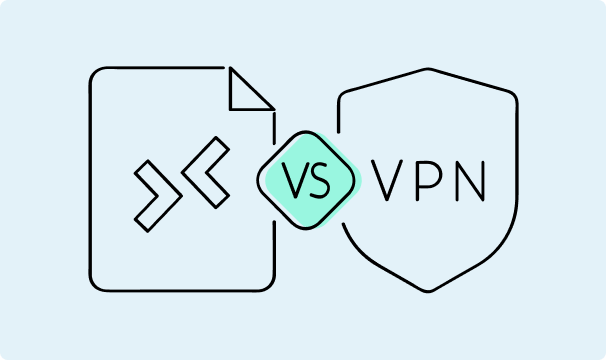
Both VPN (virtual private network) and RDP (remote desktop protocol) are remote access technologies. You use an internet connection to access a computer that’s in a different location than yours and get the benefits as if you were using that computer.
There’s one key difference between a virtual private network and a remote desktop protocol – the level of control you get. A VPN server only provides you with internet traffic routing, encryption, and some other benefits. You continue using your machine for everything else.
Remote desktop protocol gives you access to the machine itself. You may get different levels of permissions (ranging from limited access to full administrative privileges), but in all cases you’ll get to control the machine itself to some extent.
Rasa Sosnovskytė
5 min read
Is Blockchain Wallet Safe? Risks and Security Tips
Key Takeaways:
Blockchain wallets are widely used to manage cryptocurrency. With them, you can access your private keys and send, receive, and store your digital assets securely. However, as cyber threats keep raising more security issues, users often ask “is a blockchain wallet safe?”
In this article, you will find the answer to your question and discover the basics of blockchain wallets, look at their security features, and find tips that will help keep your crypto wallets safe.
Rasa Sosnovskytė