









Why Does OnlyFans Need My ID? Age Verification, Blocks, and Privacy 2026 Explained
Uploading an ID to any online platform feels personal.

Laura Valskytė
12 min read
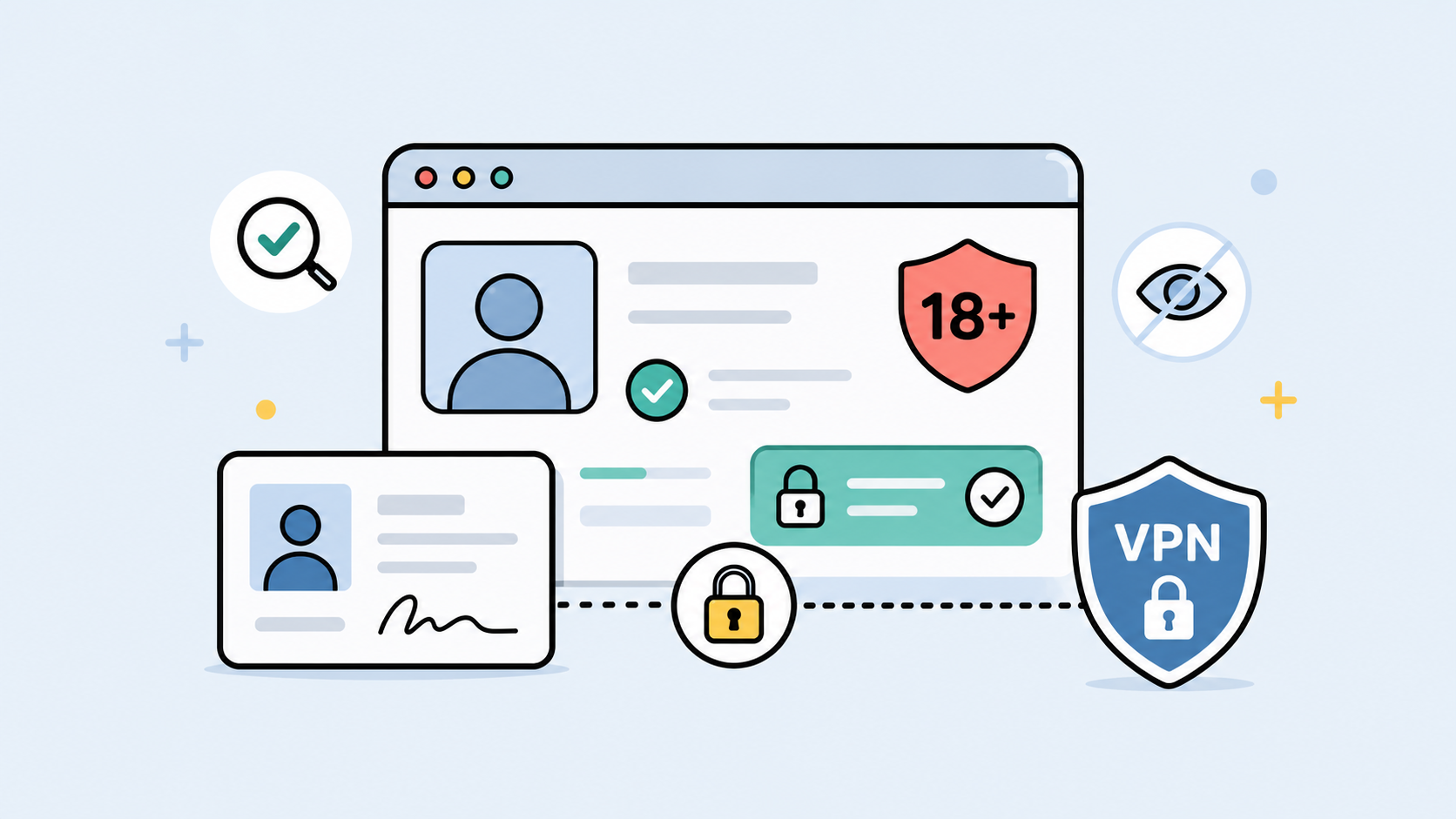
Uploading an ID to any online platform feels personal.
Uploading an ID to an adult platform feels even more personal.
So the question is fair: why does OnlyFans need my ID? What exactly are they trying to verify? Is this normal? What happens if verification fails? And can you bypass OnlyFans age verification if you are already an adult but the process is not working?
The short answer is this: OnlyFans may ask for ID to confirm age, identity, creator eligibility, payment details, anti-fraud requirements, or compliance with regional rules. For creators, ID verification is usually tied to identity, payouts, and platform safety. For fans, age checks may depend on account status, payment method, location, and local laws.
The important part is knowing the difference between a legitimate verification request and a risky workaround.
If you are under 18, you should not try to access adult content or get around OnlyFans age verification. If you are an adult and verification is failing because of browser issues, connection problems, public Wi-Fi, region mismatch, or VPN instability, then the safer fix is not a fake bypass. The safer fix is to understand what is being blocked and clean up the setup around it.
That is where CometVPN can help. It will not change your age or replace ID verification, but it can help protect your real IP address, reduce exposure on public Wi-Fi, and keep your connection more stable when using adult platforms.
Why OnlyFans May Ask for ID
OnlyFans is not just a regular social media site. It handles subscriptions, creator payouts, adult content, identity-sensitive accounts, payment processing, and compliance obligations across different countries.
That means identity and age checks matter.
For creators, OnlyFans may need to confirm that the person opening the account is real, old enough, and eligible to receive payouts. The platform also needs to reduce impersonation, stolen identity use, fake creator accounts, fraud, and illegal content risks.
For fans, the situation can be different. Some users may only need account and payment verification. Others may see age checks because of regional rules, platform requirements, payment issues, or access restrictions.
So when OnlyFans asks for ID, it may be about more than one thing at once.
It can be about age. It can be about identity. It can be about payouts. It can be about anti-fraud. It can be about local laws. It can be about proving that the account belongs to the person using it.
That does not make the request feel less sensitive, but it does explain why it happens.
Creator Verification and Fan Age Checks Are Not the Same Thing
A lot of confusion comes from treating every OnlyFans verification prompt as the same.
They are not the same.
A creator verification flow is usually more detailed because money is involved. Creators may need to prove identity, confirm age, connect payout information, and provide tax or banking details. The platform needs to know who is being paid and whether that person is allowed to publish and monetize content.
A fan or subscriber age check may be simpler, but it can still become serious depending on region, payment method, or legal requirements. In some places, adult platforms face stricter age verification rules for users who want to view adult content.
So if you see people talking about “OnlyFans ID verification,” check the context first.
Are they talking about becoming a creator? Subscribing as a fan? Fixing a blocked account? Passing a regional age check? Restoring access after a failed payment? Those are different problems.
The safest fix depends on which side of the platform you are on.
Can You Bypass OnlyFans Age Verification?
This is where the wording matters.
If by “bypass OnlyFans” you mean avoiding age rules while under 18, the answer is no. You should not try to access adult content, use someone else’s ID, fake your age, or use any tool that claims to unlock adult content for minors.
If you are an adult and OnlyFans age verification is broken, looping, or failing incorrectly, then the better question is not “how do I bypass the check?” It is “why is the check failing?”
There are legitimate technical reasons verification may fail.
Your browser may block cookies. A script blocker may break the verification window. Your VPN may switch locations mid-session. Your public Wi-Fi may filter adult platforms. Your ID image may be blurry. Your details may not match. Your browser may be storing old site data. Your connection may drop during the process.
Those problems can be fixed safely.
What you should not do is use random OnlyFans bypass websites, fake verification tools, mirror login pages, unofficial browser extensions, or services that ask for your ID outside the official platform flow.
That is not a smart workaround. That is how accounts and documents get stolen.
Why OnlyFans Verification Can Fail
OnlyFans verification can fail for simple reasons, and some of them have nothing to do with age.
Sometimes the ID photo is unclear. The document may be expired, damaged, cropped, or unsupported. The name or birthday may not match the account details. The selfie or liveness check may fail because of poor lighting, camera blur, or a blocked camera permission.
Sometimes the problem is the browser. Strict privacy settings can block cookies or scripts needed for the verification page to work. Private browsing can remove session data as soon as the window closes. Extensions can block pop-ups, redirects, or third-party verification components.
Sometimes the problem is the connection. Public Wi-Fi can filter adult sites. A school, work, hotel, or airport network may block parts of the platform. A VPN connection may help with privacy, but switching VPN servers during verification can create a mismatch and cause the session to fail.
Sometimes the problem is regional. OnlyFans may behave differently depending on where your IP address appears to be located, what local rules apply, or what type of access is available in that region.
This is why randomly trying to “get around OnlyFans age verification” can make things worse. If you do not know what failed, you may keep changing the wrong thing.
OnlyFans Blocked: What Kind of Block Is It?
When someone says OnlyFans is blocked, that can mean several different things.
An account block means the platform itself may be restricting your account because of verification, payment, policy, or security issues. A VPN will not fix a real account-level restriction.
A network block means the Wi-Fi or internet provider is blocking OnlyFans. This is common on public, school, work, hotel, or shared networks. In that case, CometVPN may help create a more private connection where access is legal.
A browser block means the site technically loads, but something in your browser breaks login, payment, verification, or session storage. This is often caused by cookies, extensions, cache, private mode, or script blocking.
A region block means access or verification depends on the country or state your connection appears to come from. This can be tied to local rules, age verification laws, or platform availability.
A payment block means the issue is not access at all. It may be your card, billing region, bank decline, payment processor, or account mismatch.
Before trying to get around an OnlyFans block, identify the kind of block. A blocked Wi-Fi network and a failed identity verification are not the same problem.
Where CometVPN Helps
CometVPN helps with the privacy and connection side of OnlyFans use.
It can hide your real IP address from the sites you visit, protect your browsing session on public Wi-Fi, and reduce what local network owners can see. That matters with adult platforms because the domain itself is sensitive.
If you are using hotel Wi-Fi, airport Wi-Fi, café Wi-Fi, or a shared network, CometVPN gives you a private tunnel before you open the site. It can also help you test whether OnlyFans is failing because of the network you are on.
CometVPN can also help while traveling. If your IP location suddenly changes from your usual country to a different region, some platforms may ask for extra checks or behave differently. A stable VPN location can make the session more consistent.
But CometVPN has limits.
It does not change your real age. It does not replace ID verification. It does not make an underage person eligible for adult content. It does not remove platform rules. It does not fix a blurry ID photo. It does not solve a payment method that fails for billing reasons.
Use CometVPN for privacy, network stability, and IP protection. Do not treat it as a fake identity tool.
How to Use CometVPN Safely With OnlyFans
The safest way to use a VPN with OnlyFans is to set it up before opening the site.
Close OnlyFans first. Open CometVPN. Choose one stable location. Connect. Then open a clean browser session and go to the official OnlyFans website directly.
Do not open OnlyFans, start verification, change VPN countries, reload the page, change browsers, and then retry the same broken session. That creates inconsistent signals.
If you are uploading ID or completing verification, keep the connection stable until the process is finished. Do not switch servers mid-flow. Do not jump between mobile data and Wi-Fi during the check. Do not use a random public network if you can avoid it.
Use a clean browser profile if possible. That means fewer old cookies, fewer interfering extensions, and less chance that some privacy plugin breaks the verification window.
Most importantly, only upload ID through the official OnlyFans flow. Never upload documents through links from Telegram, Discord, email, mirror sites, or “verification helper” pages.
A clean setup looks like this: CometVPN on first, one stable location, official site only, clean browser session, camera permissions checked, verification completed without switching networks.
Privacy Risks Around ID Verification
ID verification is sensitive because it involves personal information that can be misused if it lands in the wrong place.
Your ID may show your full name, date of birth, photo, document number, address, or issuing country. Depending on the verification process, you may also provide a selfie, liveness check, banking information, or tax details.
That is why the biggest risk is not always OnlyFans itself. The bigger risk may be fake pages pretending to be OnlyFans.
Phishing pages can copy the look of a login page. Fake verification forms can ask for your ID. Scam browser extensions can claim they help you bypass OnlyFans age verification. Telegram or Discord “support” accounts can ask you to send documents directly.
Do not do that.
If a platform needs ID, use the official platform process. Check the domain. Check HTTPS. Do not follow random links from messages. Do not upload documents to third-party pages that claim they can speed up verification.
A VPN helps protect your connection, especially on public Wi-Fi, but it cannot make a fake website safe. You still need to be careful about where you type your login and where you upload documents.
What Not to Do
Do not use someone else’s ID. Do not use fake ID images. Do not edit documents. Do not use “OnlyFans bypass” websites. Do not install browser extensions that promise free access or verification removal. Do not use mirror login pages. Do not send ID through chat apps. Do not pay strangers to “verify” your account.
Also, do not confuse a VPN with permission.
CometVPN can protect your connection. It can help with network blocks. It can hide your IP address. It can make adult browsing more private.
It cannot make a restricted account valid. It cannot change your age. It cannot replace official ID checks. It cannot override OnlyFans policies.
If your account needs verification, use the official flow. If the official flow fails, fix the document, browser, camera, or connection problem.
Safe Checklist Before Uploading ID
Before uploading ID to OnlyFans or any adult platform, slow down for a minute.
Make sure you are on the official website, not a mirror or link from a random message. Check that the page uses HTTPS. Confirm that you are logged into your own account. Avoid public Wi-Fi unless CometVPN is connected first. Keep one stable VPN location active if you use a VPN. Make sure your browser is updated. Temporarily reduce extensions that may block verification scripts. Make sure the camera permission works if a selfie or liveness check is required.
Check the ID itself. The photo should be clear. The document should not be expired. The details should match your account information where required. Do not crop the image so tightly that the platform cannot read it.
And if something feels off, stop. It is better to pause than to upload sensitive documents into the wrong page.
How to Get Around OnlyFans Block Safely
The safest way to get around an OnlyFans block is to first understand what kind of block it is.
If OnlyFans works on mobile data but not on Wi-Fi, the Wi-Fi network is probably filtering it. CometVPN may help where access is legal because it creates a private tunnel through that network.
If OnlyFans works in one browser but not another, the issue is probably cookies, extensions, cache, or scripts. Try a clean browser profile before blaming the account.
If OnlyFans blocks verification, check ID quality, birthday, name, camera access, and session stability.
If OnlyFans is unavailable because of local law or regional restrictions, you need to consider local rules. A VPN is a privacy tool, not a legal permission slip.
If the block is account-level, such as failed verification, policy review, or payment restriction, you need to resolve it with the platform’s official process. CometVPN cannot override an account decision.
FAQ
Why does OnlyFans need my ID?
OnlyFans may need ID to confirm age, identity, creator eligibility, payout information, anti-fraud requirements, or compliance with regional rules. For creators, ID verification is commonly tied to identity, payments, and platform safety. For fans, age checks may depend on location, payment, and platform requirements.
Can I bypass OnlyFans?
You should not bypass OnlyFans rules, age requirements, or identity checks. If you are an adult and OnlyFans is blocked because of a network, browser, or connection issue, you can troubleshoot those problems safely. If the restriction is account-level, use the official OnlyFans process.
How to bypass OnlyFans age verification?
If you are under 18, you should not bypass OnlyFans age verification. If you are an adult and verification fails, fix the real cause: ID quality, account details, browser scripts, cookies, camera permissions, VPN stability, or network filtering. Do not use fake bypass tools.
How to get around OnlyFans age verification?
The safe version is to complete the official verification process and fix anything that prevents it from working. Use a clean browser session, keep your connection stable, avoid switching VPN servers mid-flow, and only upload ID through the official OnlyFans website.
How to get around OnlyFans block?
First identify the block. If it is a Wi-Fi or network block, CometVPN may help where access is legal. If it is a browser issue, fix cookies, scripts, or cache. If it is an account or verification block, resolve it through OnlyFans directly.
Does CometVPN help with OnlyFans?
Yes, CometVPN can help with privacy, IP protection, public Wi-Fi safety, network blocks, and stable region signals. It does not change your age, replace ID verification, or override OnlyFans account restrictions.
Author
Laura Valskytė
Digital Marketing Specialist at CometVPN
Laura is a digital marketing specialist with a passion for online privacy and cybersecurity. At CometVPN, she focuses on content strategy, SEO, and helping users understand the tools that keep them safe online.
Related articles

4 min read
Ethernet vs Wi-Fi: Which One is Better?
Ethernet and Wi-Fi are the two main ways to connect your computer to the internet. While Wi-Fi has received significantly more attention in recent years, especially among consumers, due to its simplicity and flexibility, ethernet is still widely used in various other applications.
Even if Wi-Fi is significantly more popular, it isn’t strictly better. Both methods have their benefits and drawbacks. Wi-Fi’s popularity comes from its ease-of-use and flexibility, but an ethernet connection can be much more useful in certain scenarios.

Adomas Šulcas

5 min read
How to Change Chrome Proxy Settings: The Ultimate Guide
A proxy server is an easy alternative to a VPN that can perform most of the functions of the latter. It’s a server that stands between your device and the destination server, taking your connection requests and forwarding them in your name.
Destination servers in almost all cases see the proxy server as the originator of the request. As such, proxies are widely used in various, mostly business-related applications whenever privacy, security, location changing, and several other factors are at play.

Guoda Šulcaitė